
Comparison, November 2026
Bucketeer and Transmit compared
Transmit 5 by Panic is a file transfer app for macOS with a dual-pane browser for FTP, SFTP, WebDAV, Amazon S3 and other cloud services. For Azure it supports File Shares, not Blob Storage, and its Finder mounting, Transmit Disk, was discontinued in version 5.6.0. Bucketeer is a Mac app for object storage, S3 and Azure Blob Storage, with Finder drives and sync jobs.
. Written by Marcel R. G. Berger. Sources
The short answer
- Choose Transmit if you move files between FTP, SFTP, WebDAV and S3 servers and like a dual-pane window with Panic Sync for your server list.
- Choose Bucketeer if you work with S3 and Azure Blob Storage and want buckets in Finder, scheduled sync jobs and client-side encryption.
- Both are Mac apps, both upload files saved in an external editor and both create signed S3 links.
Bucketeer and Transmit side by side
| Bucketeer | Transmit | |
|---|---|---|
| Type of product | Native Mac app for object storage: browser, transfers, Finder drives and sync in one app | File transfer app with a dual-pane browser for servers and cloud storage |
| Platforms | Mac only, macOS 14 or later (Mount as Drive needs macOS 14.1) | Mac only; product page and Mac App Store name macOS 13 or later, Panic's compatibility table lists Transmit 5.11 for macOS 14 and later |
| Where to get it | Mac App Store only | Direct download from panic.com and the Mac App Store; the two versions are not interchangeable |
| Pricing model | App from the Mac App Store; Bucketeer Pro is a one-time in-app purchase, no subscription | One-time purchase at panic.com; subscription in the Mac App Store |
| Amazon S3 and S3-compatible storage | Amazon S3, presets for Cloudflare R2, Backblaze B2, Wasabi, DigitalOcean Spaces, Storj and Civo, plus any S3 endpoint such as MinIO | Amazon S3 and S3-compatible services, among them Backblaze B2, DreamObjects and DigitalOcean |
| Azure Blob Storage | Yes, with its own Azure backend | No; Azure File Shares are supported, Azure Blob Storage is not |
| FTP, SFTP, WebDAV and other services | No, object storage only | Yes, among them FTP, SFTP, WebDAV, Box, Dropbox, OneDrive and OpenStack Swift |
| Storage in Finder | Yes, Mount as Drive through the File Provider extension (Bucketeer Pro); not for encrypted buckets | No; Transmit Disk was discontinued in Transmit 5.6.0 |
| Sync | Sync jobs that copy, move or mirror bucket to bucket across providers or folder to bucket; by hand, at launch, on a schedule or on folder change; watch folders (Bucketeer Pro) | Manual one-way sync in a chosen direction; scheduling through Automator |
| Editing in other apps | Open and Open With; every save is uploaded, a conflict copy is made if the server version changed | Files saved in an external editor upload automatically, with a conflict check for edited files |
| Client-side encryption | AES-256-GCM per bucket on the Mac, key in the macOS Keychain | Not documented |
| Share links | S3 presigned URLs and Azure SAS links | Signed URLs for S3 files |
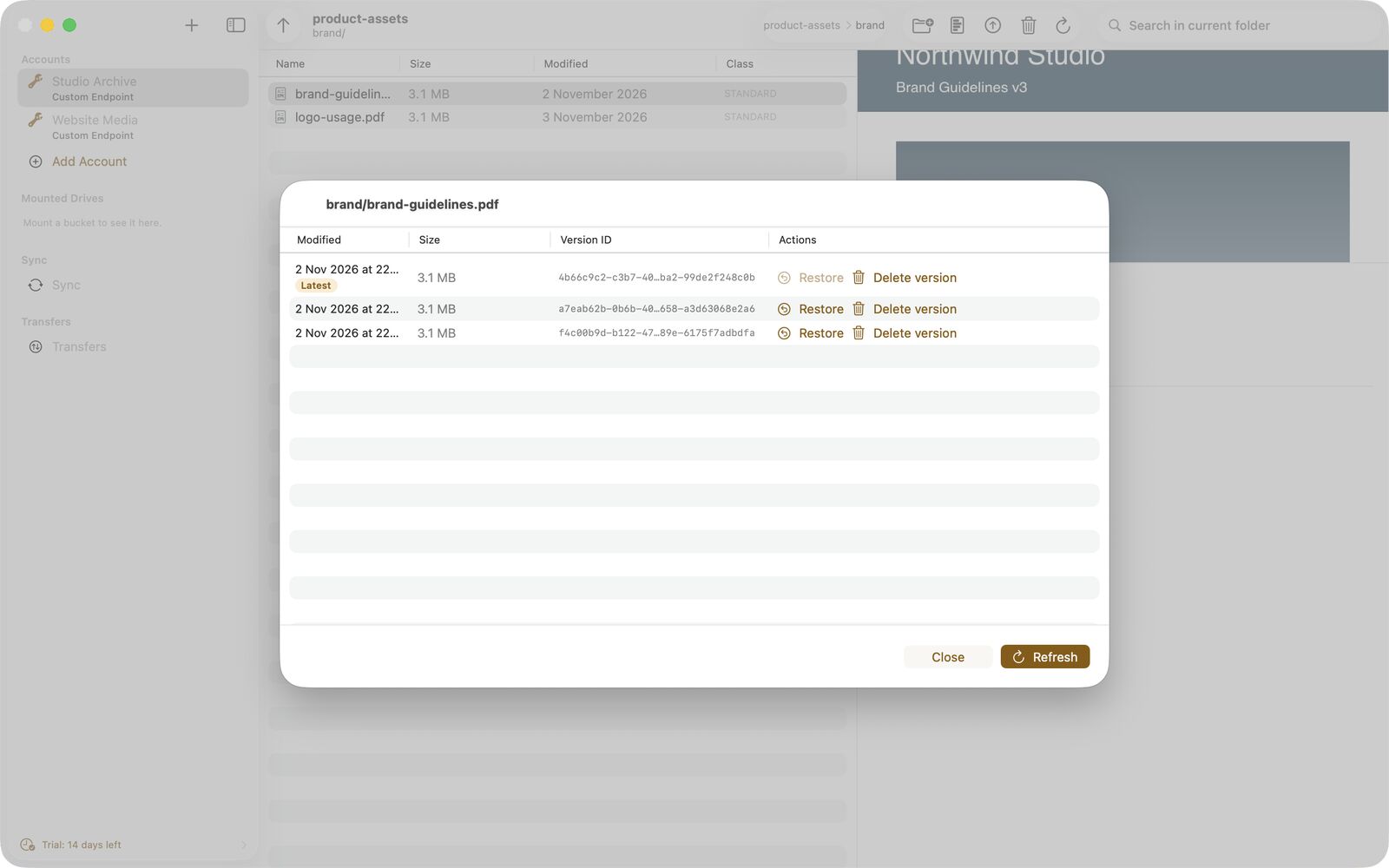
| Object versions | List, restore and delete object versions | Not documented |
| Metadata and headers | HTTP headers, user metadata and tags; storage class shown; auto-tagging rules | Custom S3 upload headers; storage class and server-side encryption in the inspector |
| Automation | Shortcuts and Siri actions, bucketeer:// deep links, Spotlight for object names | AppleScript and Automator actions |
Where Transmit is ahead
- Many protocols: FTP, SFTP and WebDAV next to S3 and other cloud services.
- Dual-pane browser for transfers between two locations.
- Panic Sync keeps servers and credentials in step across your Macs, end-to-end encrypted.
- AppleScript for scripting transfers.
Where Bucketeer is ahead
- Azure Blob Storage, which Transmit does not support.
- Buckets as drives in Finder, after Transmit Disk was discontinued.
- Scheduled sync jobs and watch folders, also between S3 and Azure.
- Client-side encryption per bucket with the key in your Keychain.
- Object versions, bucket dashboard, activity log and trash.
Frequently asked questions
Is Bucketeer a Transmit alternative for S3?
For S3 and Azure Blob Storage, yes. Bucketeer adds Finder drives, scheduled sync and client-side encryption. For FTP, SFTP and WebDAV, Transmit covers protocols that Bucketeer does not.
Can Transmit 5 mount a bucket in Finder?
Not any more. Panic discontinued Transmit Disk in Transmit 5.6.0. Bucketeer mounts buckets in Finder through the File Provider extension of macOS, as part of Bucketeer Pro.
Does Transmit support Azure Blob Storage?
According to Panic's help, Transmit supports Azure File Shares but not Azure Blob Storage. Bucketeer supports Azure Blob Storage.
Sources
Statements about Transmit come from the vendor's own pages listed here, read in November 2026. Statements about Bucketeer come from the app's documentation.
- Transmit 5, product page (panic.com)
- Transmit, how to purchase
- Transmit 5 in the Mac App Store
- Panic, OS compatibility table
- Transmit, protocol support
- Transmit, Amazon S3
- Transmit, Microsoft Azure
- Transmit, Cloudflare R2
- Transmit Disk FAQ
- Transmit, synchronizing folders
- Transmit, using external editors
- Transmit, bandwidth throttling
- Transmit 5 release notes
- Bucketeer features on this site
Transmit is a trademark of its owner and is offered by Panic Inc.. The name is used here only to identify the product. Bucketeer and DigitalFreedom Global LLC are not affiliated with Panic Inc., and Panic Inc. has not reviewed or endorsed this page.
If a statement here is out of date, write to hello@digitalfreedom.co.za and we will check it and correct the page.